
Download ScrollyFox – free auto‑scroll extension for Firefox
Overview
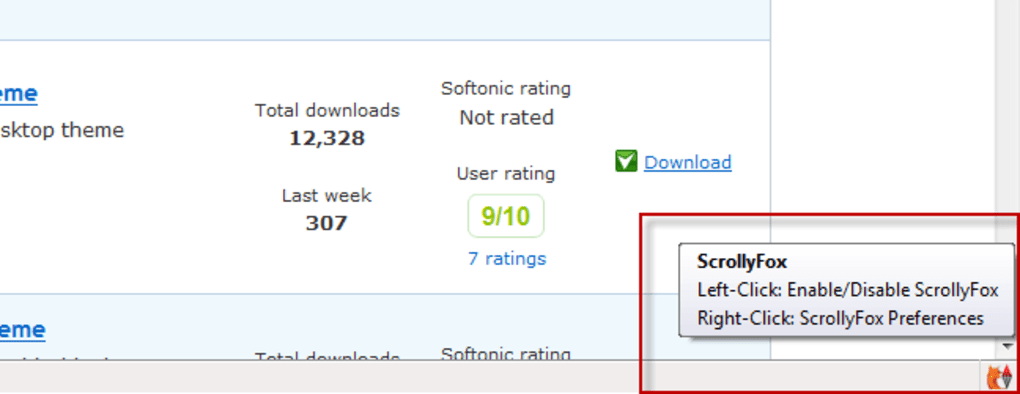
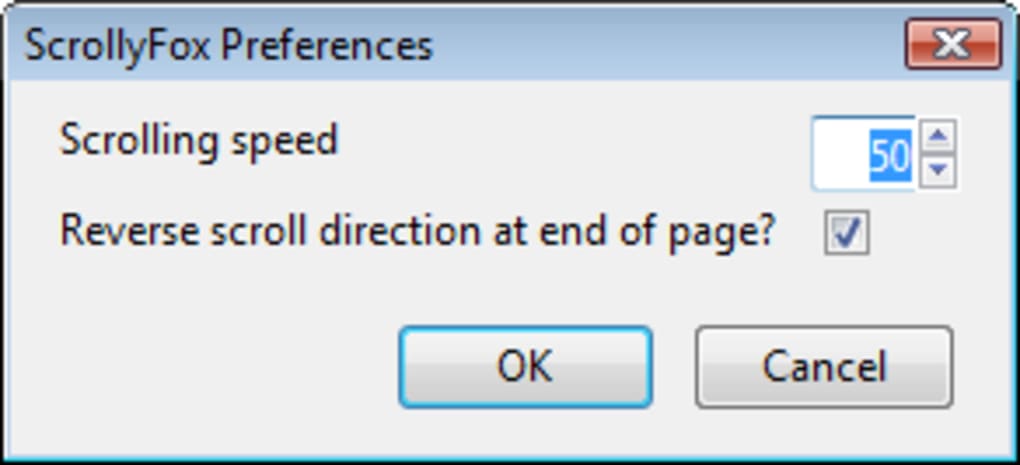
ScrollyFox is a lightweight Firefox add‑on designed to turn scrolling into a fully automated experience with a single click. The extension sits unobtrusively in the bottom‑right corner of your browser window, presenting a tiny icon that toggles auto‑scroll on or off with a left‑click. A right‑click opens a concise preferences panel where you can fine‑tune the scrolling speed and decide whether the direction should reverse when the bottom of the page is reached.
The design philosophy behind ScrollyFox is simplicity: it offers just enough control to satisfy power users while keeping the interface clean for casual browsers. Although Firefox already supports middle‑click scrolling, ScrollyFox provides a mouse‑free alternative that can be particularly handy when reading long articles, scrolling through endless feeds, or when you simply want to keep your hands on the keyboard. The add‑on does not interfere with other extensions and consumes virtually no memory, making it a safe, secure choice for anyone looking to streamline their browsing workflow.
While it may not integrate with Google Reader (a service that has largely been discontinued), its core functionality works flawlessly on modern web pages, PDFs, and even dynamic infinite‑scroll sites. In short, ScrollyFox delivers a no‑frills, reliable solution for anyone who wants automatic scrolling without the clutter of overly complex settings.
Key Features
- One‑click activation: left‑click the ScrollyFox icon to start or stop auto‑scroll.
- Adjustable scrolling speed: choose a comfortable pace from slow to fast.
- Reverse‑direction option: automatically flip scrolling direction at the page bottom.
- Minimal UI footprint: a tiny icon that stays out of the way of your content.
- Simple preferences window: right‑click the icon to access a clean configuration panel.
- Low memory usage: the add‑on runs in the background without noticeable performance impact.
- Cross‑platform support: works on Windows, macOS, and Linux versions of Firefox.
- Secure updates: receives regular security patches through Mozilla’s official add‑on repository.
- Open‑source transparency: source code is publicly available for review.
- Free of charge: no hidden fees, subscriptions, or trial periods.
Installation, Usage & Compatibility
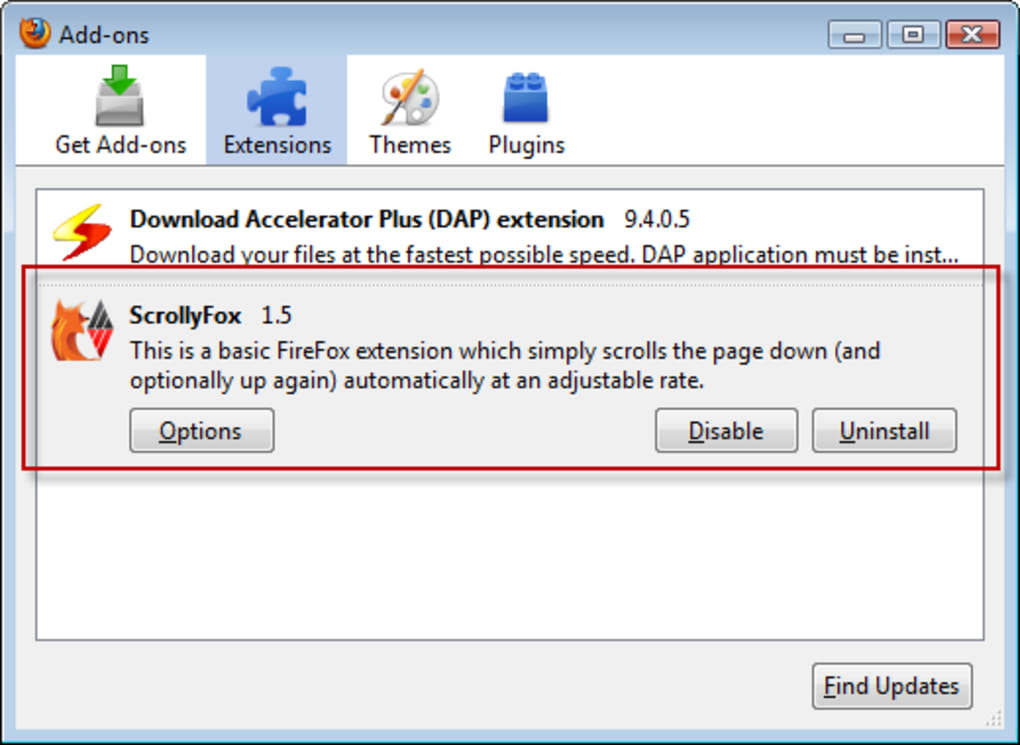
Getting ScrollyFox up and running is as straightforward as the extension itself. First, open Firefox and navigate to the official Mozilla Add‑Ons site. Search for “ScrollyFox,” click “Add to Firefox,” and confirm the permission prompt. Within seconds the tiny fox icon appears in the bottom‑right corner of the browser. No reboot or additional configuration is required.
To start auto‑scrolling, simply left‑click the icon; the page will begin moving at the default speed. If you prefer a different pace, right‑click the icon to open the preferences window, where a slider lets you set the exact speed you desire. The “Reverse at end” checkbox lets you decide whether the scroll should bounce back when the bottom of the page is reached, a handy feature for long documents or endless‑scroll feeds.
ScrollyFox is fully compatible with the current desktop releases of Firefox on Windows 10/11, macOS 12 and 13, as well as popular Linux distributions such as Ubuntu, Fedora, and Debian. Mobile versions of Firefox are not supported, as the extension relies on desktop‑specific UI elements.
Because the add‑on lives in Firefox’s sandboxed environment, it does not interfere with other extensions, bookmarks, or browser settings. Updates are delivered automatically through the Mozilla add‑on ecosystem, ensuring that you always have the latest security patches without manual intervention.
Pros, Cons, FAQ & Final Verdict
Pros
- Extremely easy to activate and deactivate.
- Customizable speed and reverse‑direction options.
- Negligible impact on system resources.
- Works seamlessly on all major desktop operating systems.
- Free and open‑source, with regular security updates.
Cons
- Does not support Firefox for Android or iOS.
- Lacks advanced features like per‑site profiles.
- Cannot scroll inside certain embedded frames (e.g., Google Reader, now defunct).
Frequently Asked Questions
Is ScrollyFox safe to use?
Yes. ScrollyFox is distributed through Mozilla’s official add‑on store, follows strict security guidelines, and is open‑source, allowing anyone to audit the code.
Can I set different scroll speeds for different websites?
ScrollyFox currently offers a global speed setting only. For site‑specific preferences you would need to adjust the speed manually each time.
Will ScrollyFox work on PDFs opened in Firefox?
Yes, the extension works on any scrollable content within the browser, including PDF viewers, as long as the PDF is rendered in a standard Firefox tab.
How do I disable ScrollyFox temporarily?
Simply left‑click the fox icon again; the auto‑scroll will pause until you click it once more.
Is there a paid version with more features?
No. ScrollyFox is completely free, and all features are available to every user without a premium tier.
Final Verdict
If you regularly find yourself needing a hands‑free way to glide through long articles, documentation, or endless social feeds, ScrollyFox delivers exactly what it promises: simple, reliable auto‑scroll with minimal configuration. Its tiny footprint and free price tag make it an attractive addition to any Firefox setup, especially for users who appreciate a streamlined UI. While the lack of mobile support and site‑specific profiles might limit power users, the core functionality is solid enough for the majority of browsing scenarios. In short, ScrollyFox is a well‑crafted tool that lives up to its name—quick, clever, and unobtrusive. Download it today and experience effortless scrolling.







